Keep Your WhatsApp Business App and Add AI Replies (Coexistence, 2026)
Yes, an AI can answer your WhatsApp customers while you keep the Business app on your phone. How Meta's coexistence works in Malaysia, what changes, what it costs, and which tools support it.
The short answer
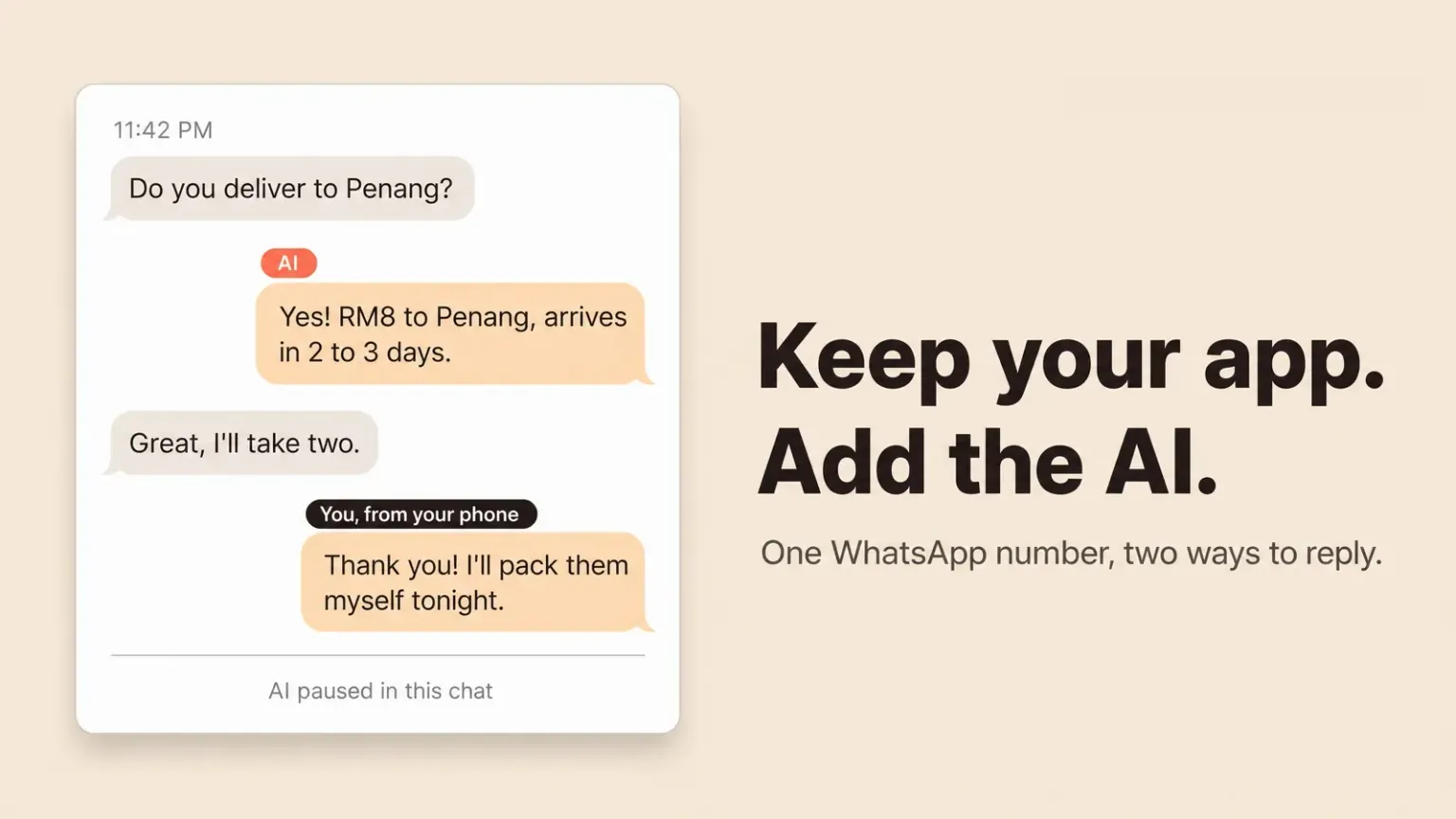
Yes. Since Meta launched coexistence, one WhatsApp number can run on the WhatsApp Business app on your phone and on the WhatsApp Business Platform at the same time. An AI tool connects to the Platform side and answers customers, and you keep replying from the app whenever you want. You don't need a new number, you don't delete the app, and your chats stay where they are.
Your options, as of September 2026:
- Meta Business Agent is Meta's own AI, built into the Business app. It is free for now, but Meta's help page says it is only in some countries for selected businesses, and it replies in one language chosen by your phone number.
- EezieLead is a WhatsApp AI built in Kuala Lumpur for small businesses. It connects through coexistence, answers in English, Chinese and Bahasa Malaysia from your own prices and FAQs, and pauses itself in a chat the moment you reply from your phone. Free plan, paid plans from RM199 a month.
- respond.io, SleekFlow and Wati all support coexistence too. They are team platforms with shared inboxes and broadcasts, and AI that answers customers costs from US$109 to US$159 a month or comes as an add-on.
We make EezieLead, so weigh that. The rest of this page covers what coexistence changes on your phone and what it costs, which matter more than which tool you pick.
What coexistence actually is
Until 2025, a number lived in one of two places. Either it was on the Business app, free and on your phone, or it was on the WhatsApp Business Platform (often called the API), where software can read and answer messages. Moving a number to the Platform meant giving up the app.
Coexistence removed that choice. You connect your existing Business app number to a tool, you confirm it by scanning a QR code from inside the app, and from then on both work together. A customer's message shows up in the app and in the tool. A reply from either one shows up in both. The customer sees one number and one chat, same as before.
We explain the two sides of WhatsApp in more depth in WhatsApp Business app vs API.
What changes on your phone
Most things stay the same: your chats, contacts, catalogue, business profile, calls, greeting and away messages, quick replies and labels. Meta's own documentation lists what does change.
| On the Business app | After you connect |
|---|---|
| Broadcast lists | Read-only. You can't create new ones |
| Disappearing messages | Turned off in one-to-one chats |
| View once messages | Turned off in one-to-one chats |
| Live location | Turned off in one-to-one chats |
| Group chats | Keep working in the app, but the connected tool doesn't see them |
| Linked devices | Unlinked once when you connect. You can link them again after |
| Chat history | Stays in the app. A tool may copy the last 6 months of one-to-one chats, if it supports that |
Two practical points. You need Business app version 2.24.17 or newer. And keep your phone online and the app installed, because the connection depends on it. Meta can drop it if your phone stays offline for about two weeks, and then you connect again.
If you rely on broadcast lists for promotions, that is the one real loss. Most AI tools replace it with Meta's approved message templates, which cost money per message.
What it costs
There are two bills, and people mix them up.
Your replies from the Business app stay free. Meta says messages sent from the app keep being free, even after the number is connected.
Replies sent through the Platform are billed by Meta. That includes every AI reply. From 1 October 2026, each number gets 1,000 free service messages a month, and Meta charges per message after that. A small shop answering 20 or 30 chats a day usually stays under it. Check where you stand in 30 seconds.
On top of that is the tool's own subscription. Some tools pass Meta's fees through at cost, and some add a margin. Ask.
Coexistence gives you one cheap habit. Let the AI handle the routine questions, and when you want to reply yourself, reply from the app on your phone, since those messages are free.
Your options compared
| AI that answers customers | Starting price | Good for | |
|---|---|---|---|
| Meta Business Agent | Yes, inside the app | Free for now | Trying AI with no setup, if it is offered to you |
| EezieLead | Yes, on every plan | Free plan, then RM199/mo | Small shops that answer in more than one language |
| Wati | Paid add-on (Astra) | US$69/mo | Broadcasts and chatbot flows |
| SleekFlow | Yes, from Pro | US$109/mo | Teams of several people on several channels |
| respond.io | From Growth | US$159/mo for AI agents | Sales teams that need routing and reports |
Prices come from each company's own pricing page on 29 September 2026, before tax and before Meta's message fees. For a longer look at each one, see our WhatsApp AI tools for Malaysian small businesses.
Five questions to ask before you connect
- What happens when I reply from my phone? You want the AI to step back in that chat, not talk over you. In EezieLead, your reply from the app pauses the AI for that customer straight away, and you switch it back on when you're done.
- Can I test it before customers see it? A new AI should stay silent until you've tried it.
- Does it answer in the languages my customers write in? Test with real messages, including mixed ones like "Boss, got stock or not? 明天可以拿吗?"
- What does it cost a month in ringgit, with Meta's fees? Get one number, not a plan name.
- Does it keep a record of each enquiry? Chats scroll away. A lead list doesn't.
How to connect your number to EezieLead
You sign up with your email, build and test your AI first, and connect WhatsApp last. When you connect, choose "Connect a WhatsApp Business App", enter your number, then scan the QR code shown in your Business app. The AI stays paused until you switch it on. The full steps, with screenshots, are in already using this number on the Business App?
Common questions
Will I lose my chats or contacts?
No. Nothing is deleted, and your chats and contacts stay in the Business app. Meta lets a tool copy up to 6 months of past one-to-one chats, but not every tool does. EezieLead doesn't. It starts from the day you connect, so new chats appear in EezieLead and your older history stays on your phone.
Will my customers notice anything?
Not the connection itself. They message the same number and see one chat. What they notice is a faster reply at night.
Does coexistence work in Malaysia?
Yes. Malaysian Business app numbers can connect through coexistence. It is how EezieLead connects a number that is already on the Business app.
Can my staff still use WhatsApp Web or a second phone?
Yes. Linked devices are unlinked once when you connect, and you can link them again afterwards.
Is using an AI on WhatsApp allowed?
Yes, for answering your own customers. Meta's 2026 rules keep general-purpose AI assistants off WhatsApp, not businesses using AI to serve their customers. More in WhatsApp automation without getting banned.
Sources
Coexistence changes and pricing: Meta's developer guide Onboard WhatsApp Business app users. Meta Business Agent availability and language: WhatsApp Help Center, How to set up Meta Business Agent. Coexistence support: each vendor's own site, checked 29 September 2026.