Already using this number on the WhatsApp Business App?
If the number you want on EezieLead is already on the green WhatsApp Business App, here's the good news: you don't have to give it up. Meta's Coexistence connects your existing number to the Cloud API, the platform EezieLead runs on, while you keep using the Business App at the same time. No deleting your account, no re-registering, no lost chats.
What stays the same
- You keep the Business App. Both run on the same number, side by side. EezieLead handles the AI replies once you switch the AI on; you can still open the app whenever you like.
- You can still follow up with customers by hand. One-to-one messaging from the Business App keeps working and stays free. Those messages don't touch Cloud API pricing or the 24-hour window. From 1 October 2026 that's a cost difference and not just a convenience, see message costs.
- Your chats stay put. Nothing is deleted, past history stays in your WhatsApp Business App.
- It's not one-way. You're adding EezieLead alongside your app, not replacing it.
A few things to know
- Bulk broadcast lists become read-only. You can't create new broadcast lists (one-to-many blasts). Messaging customers one by one is unaffected.
- Keep your phone active. The link relies on your phone staying online. If your primary phone goes offline for roughly two weeks, Meta can drop the connection and you'd simply reconnect.
- Finish in one sitting. Complete the connection (including the QR scan) within a few hours of starting, or you'll just run through it again.
How to connect
Start connecting your number
Open Connect WhatsApp in EezieLead, from your setup panel or the setup card in the sidebar, and begin connecting your number as normal.
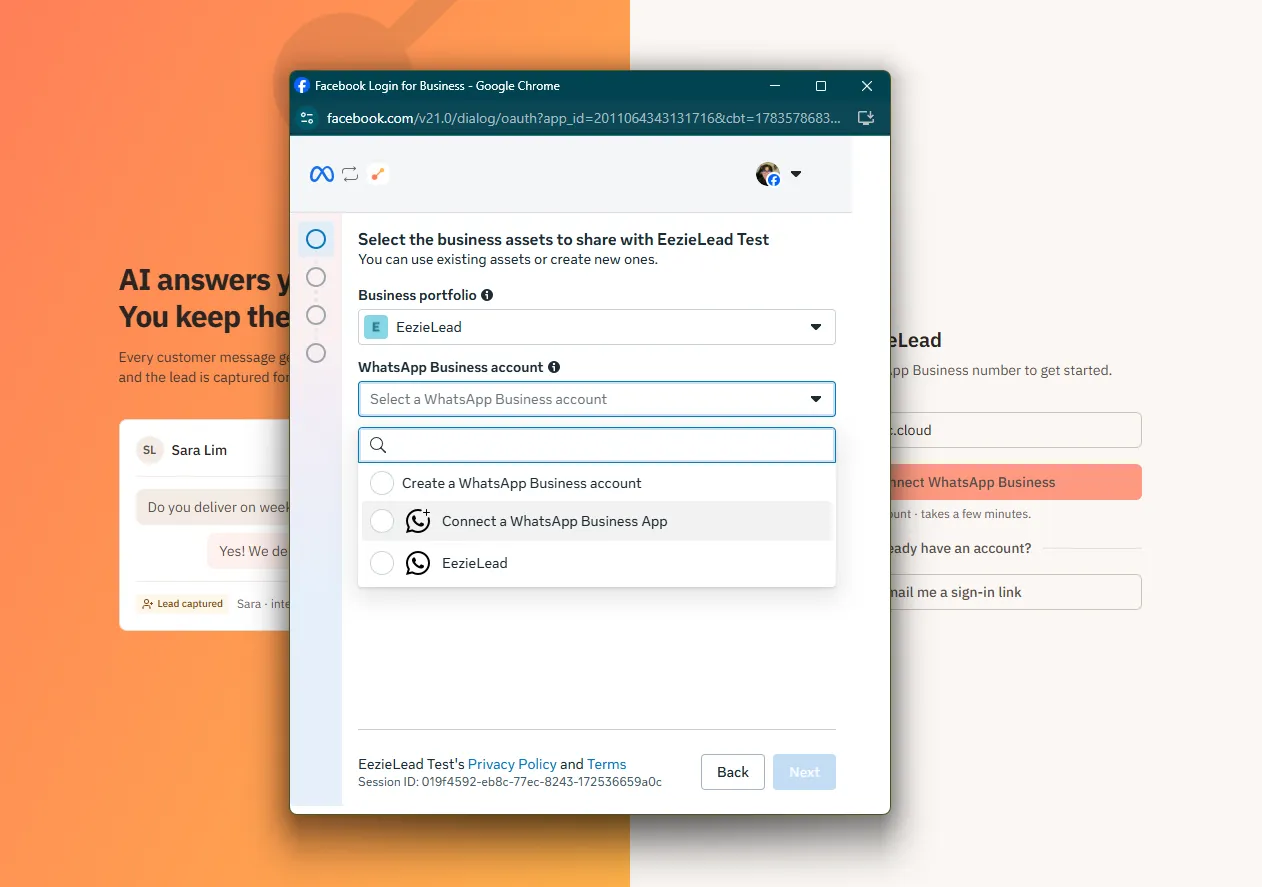
Choose "Connect a WhatsApp Business App"
When Meta asks which WhatsApp Business account to use, pick "Connect a WhatsApp Business App". This links your existing number instead of creating a fresh one.
Enter your number
Enter the same number that's on your Business App.
Scan the QR from your Business App
Your WhatsApp Business App shows a "Connect to the Business Platform" prompt. Tap Connect, then scan the QR code in the signup window. This is the key step. You're linking from inside your own app, which is exactly why you never lose it.
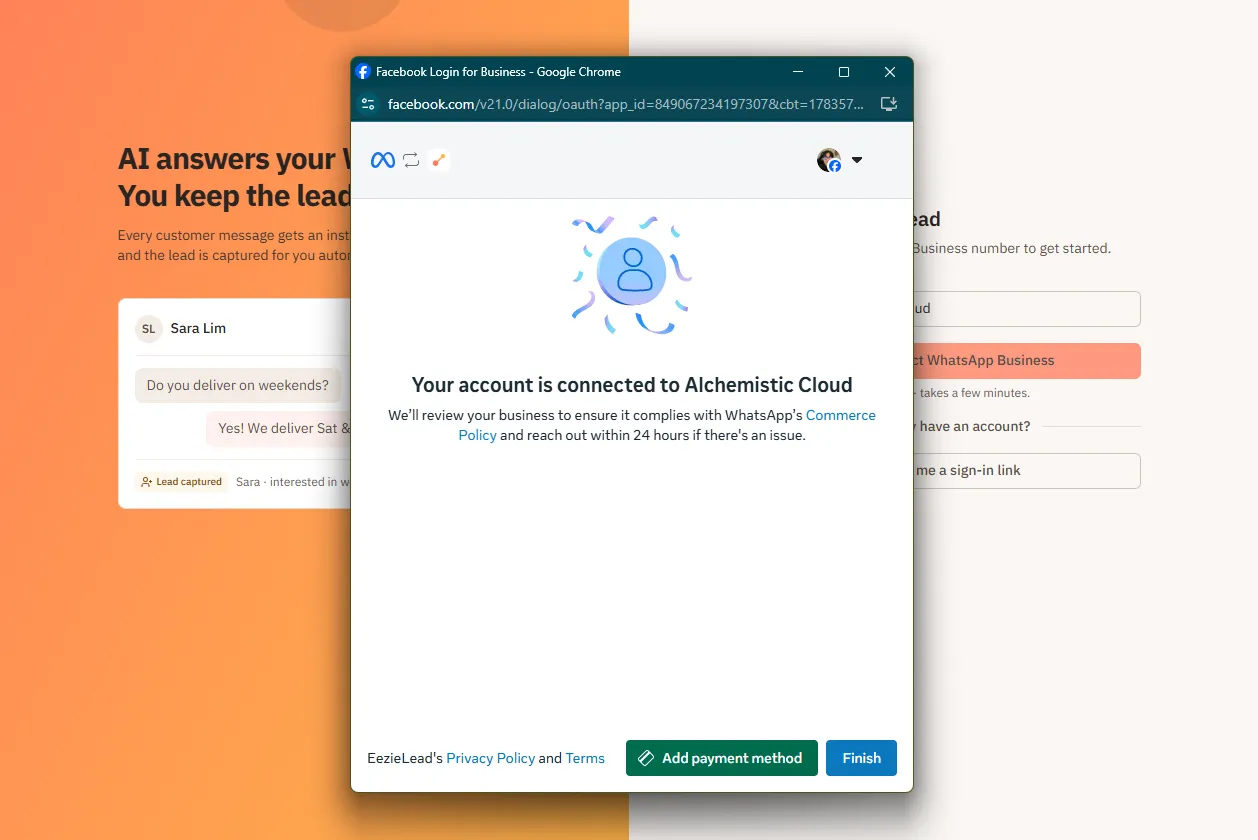
You're connected
Your number is now on EezieLead, and your Business App keeps working just as before. The AI stays paused until you test it and switch it on, so your customers notice nothing yet. Both the test number and the button that takes it live are in your setup panel, from the setup card at the bottom of the sidebar. See test before going live.
If Meta says your number is linked to "automatic events"
At the step where you enter your number, Meta may stop you with this:
Your phone number is already linked to Automatic Events. To use it for Embedded Signup, turn off Auto labels in Business Tools > Labels in your WhatsApp Business app.
Automatic events (also called auto labels) is an optional WhatsApp feature that tags your chats as leads or orders on its own. Meta will not connect a number to the Cloud API while it's switched on, so you'll need to turn it off first. It takes a minute.
Turn it off on your phone
- Open the WhatsApp Business App and go to Tools.
- Tap Lists.
- Tap Auto-created lists are turned on.
- Tap Turn off.
Then return to the signup window and enter your number again. WhatsApp's own guide, with screenshots, is here.
Or turn it off in Meta Business Suite
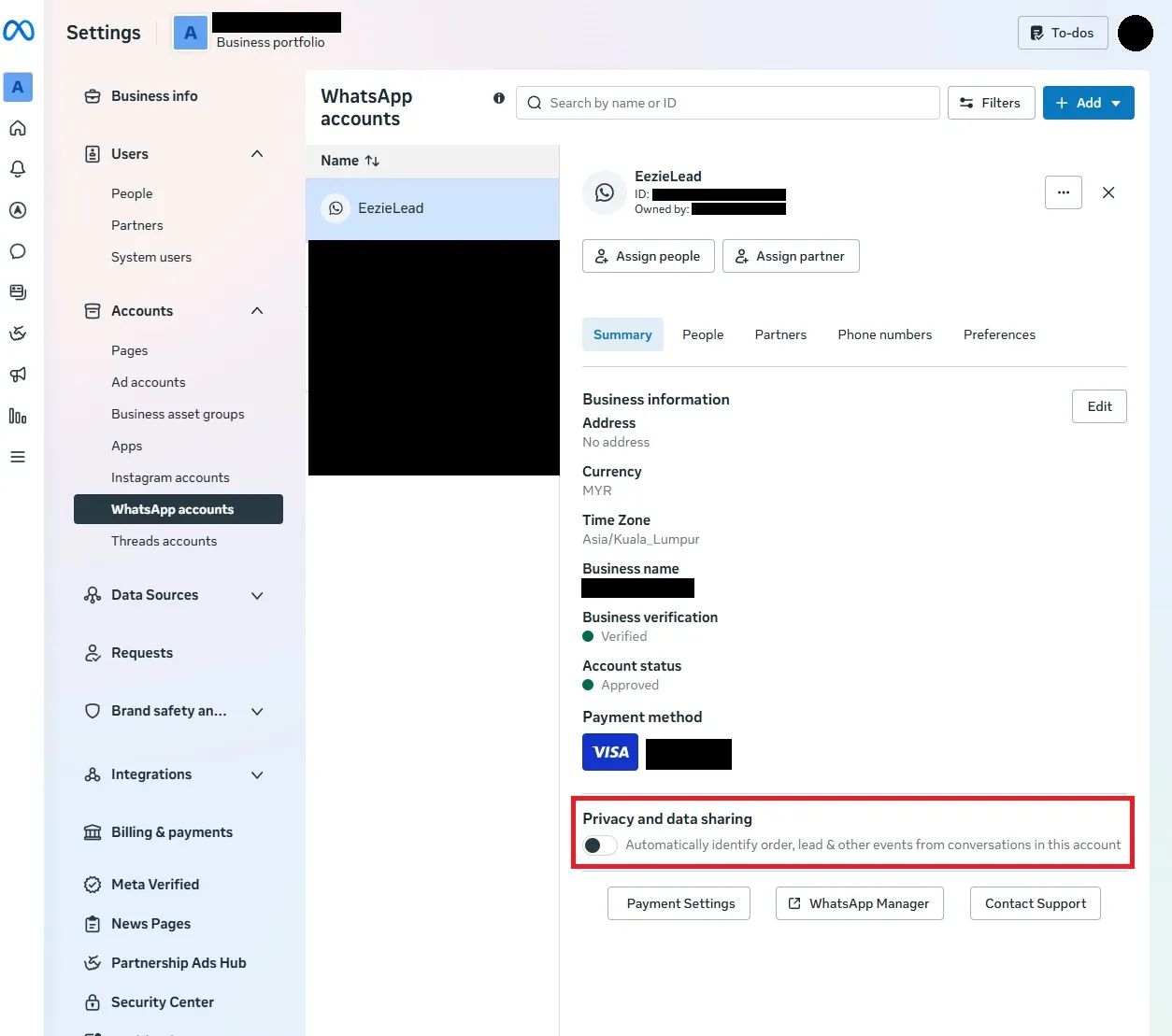
If your number is already in a Meta business portfolio, this is the switch that really counts: automatic events are managed here and synced down to the app.
- Go to business.facebook.com.
- Open Settings → Accounts → WhatsApp accounts and click your account.
- On the Summary tab, scroll to Privacy and data sharing.
- Switch off "Automatically identify order, lead & other events from conversations in this account".
What you give up
Not much, and probably nothing you were using.
- Your labels stay. Existing labels and lists are untouched, and you can still tag chats by hand.
- EezieLead does this job better anyway. Every conversation becomes a proper lead record with the customer's details pulled out, not a coloured tag in a phone app.
- The one real loss: if you run click-to-WhatsApp ads that use these automatic events for conversion tracking, that signal stops.
One thing to be aware of: this is a one-way door for that number. Once a number runs on the Cloud API, the Business App's automation features are no longer available on it, so auto labels won't come back.